Expense tracker for iPhoneWhere does your money go?
With Kirum, you always know how much you can still spend until your next paycheck. No bank login, no account.

4.8 stars worldwide on the App Store
- Log expenses in seconds
- Apple Pay payments are logged automatically
- Free, pay once for Premium
- Kirum never sees your amounts
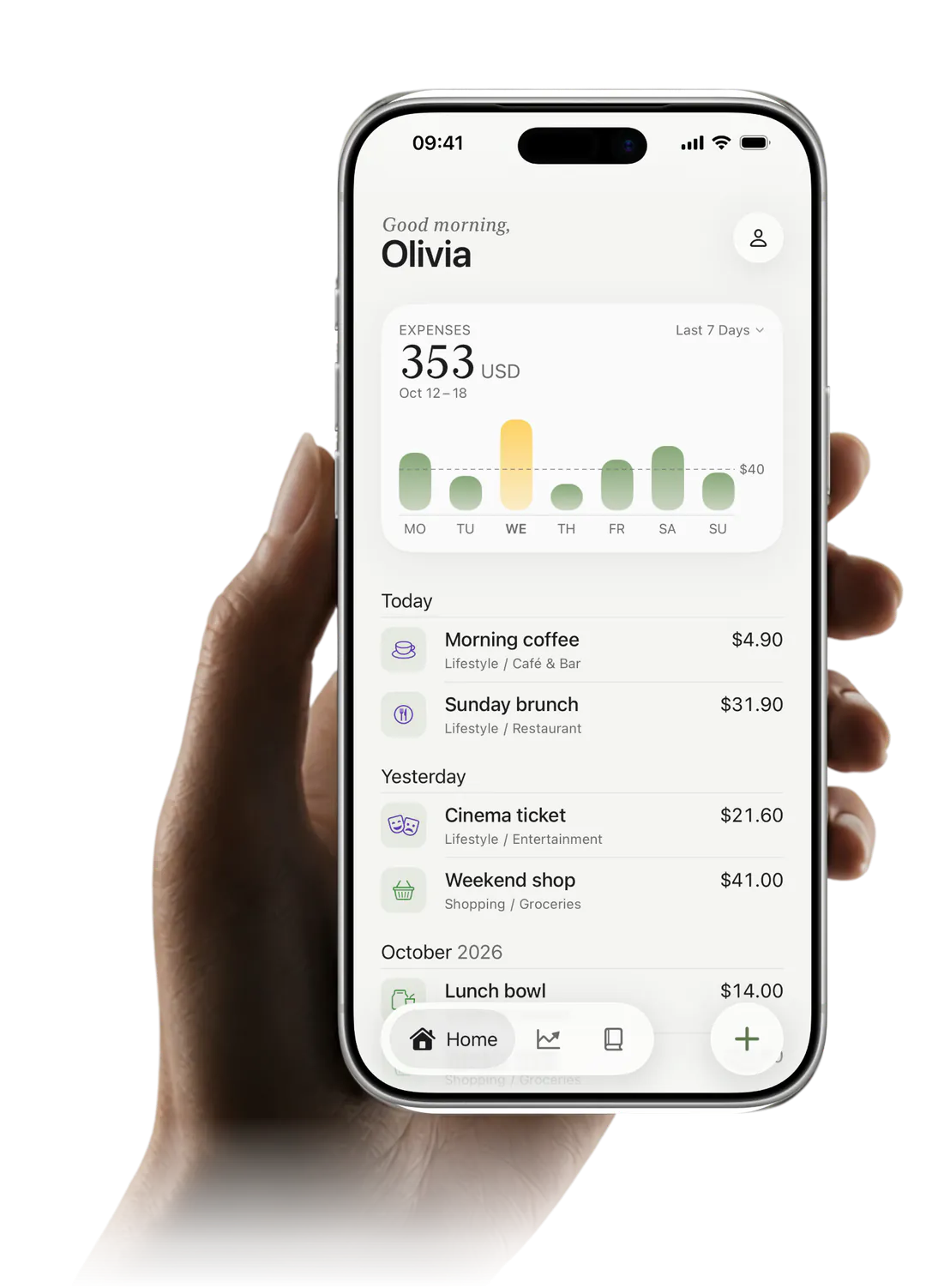
What's left until your next paycheck
Kirum knows when you get paid and takes off the fixed costs still due before then. You see what's left – as one number, and as what's left for today. Your month runs from paycheck to paycheck, not from the 1st. All of this is free.
A budget book that takes notes for you
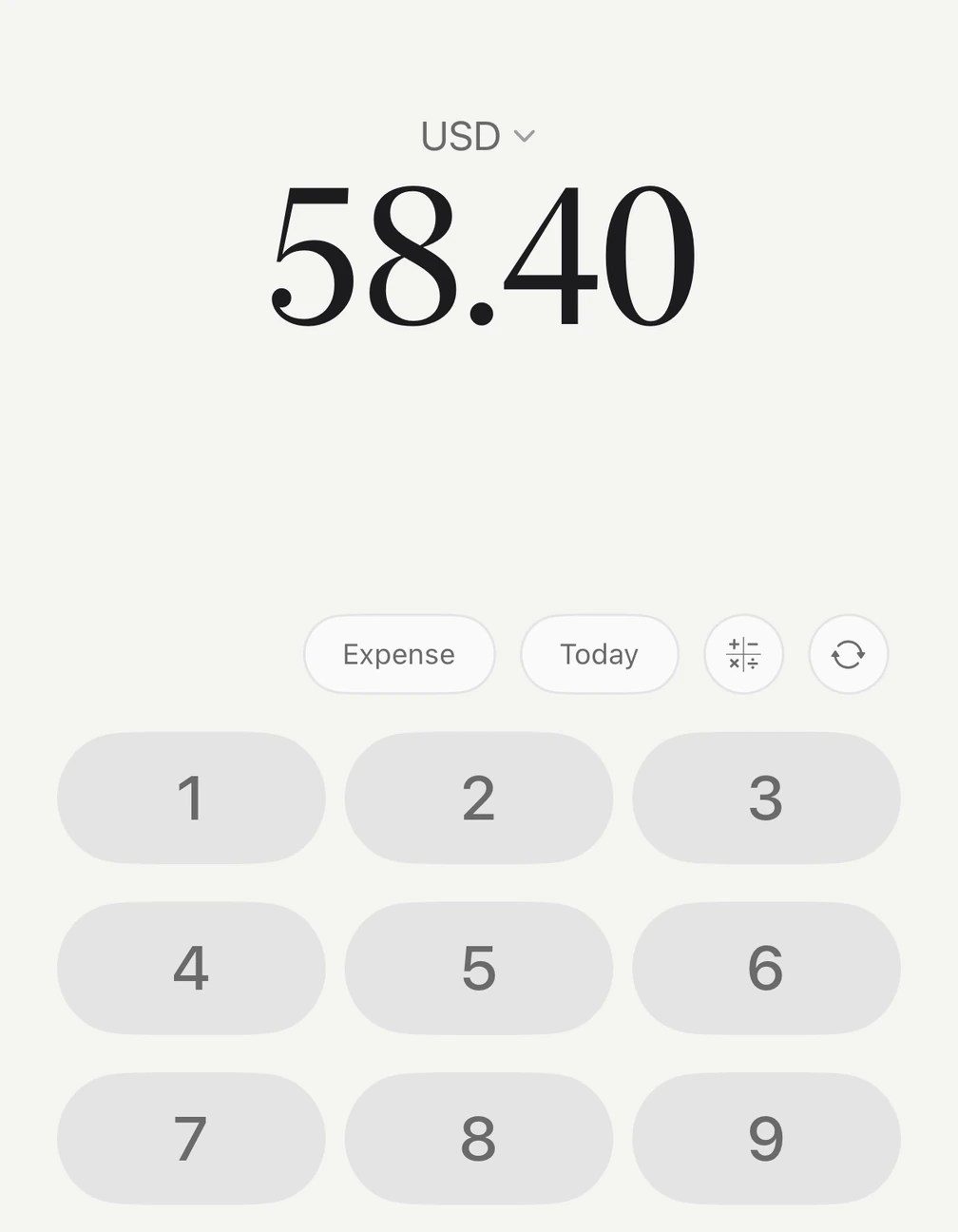
Type in what you pay in cash. Apple Pay payments are logged automatically.
Logged before your iPhone is back in your pocket
Paid with Apple Pay at the checkout? The payment is logged automatically.
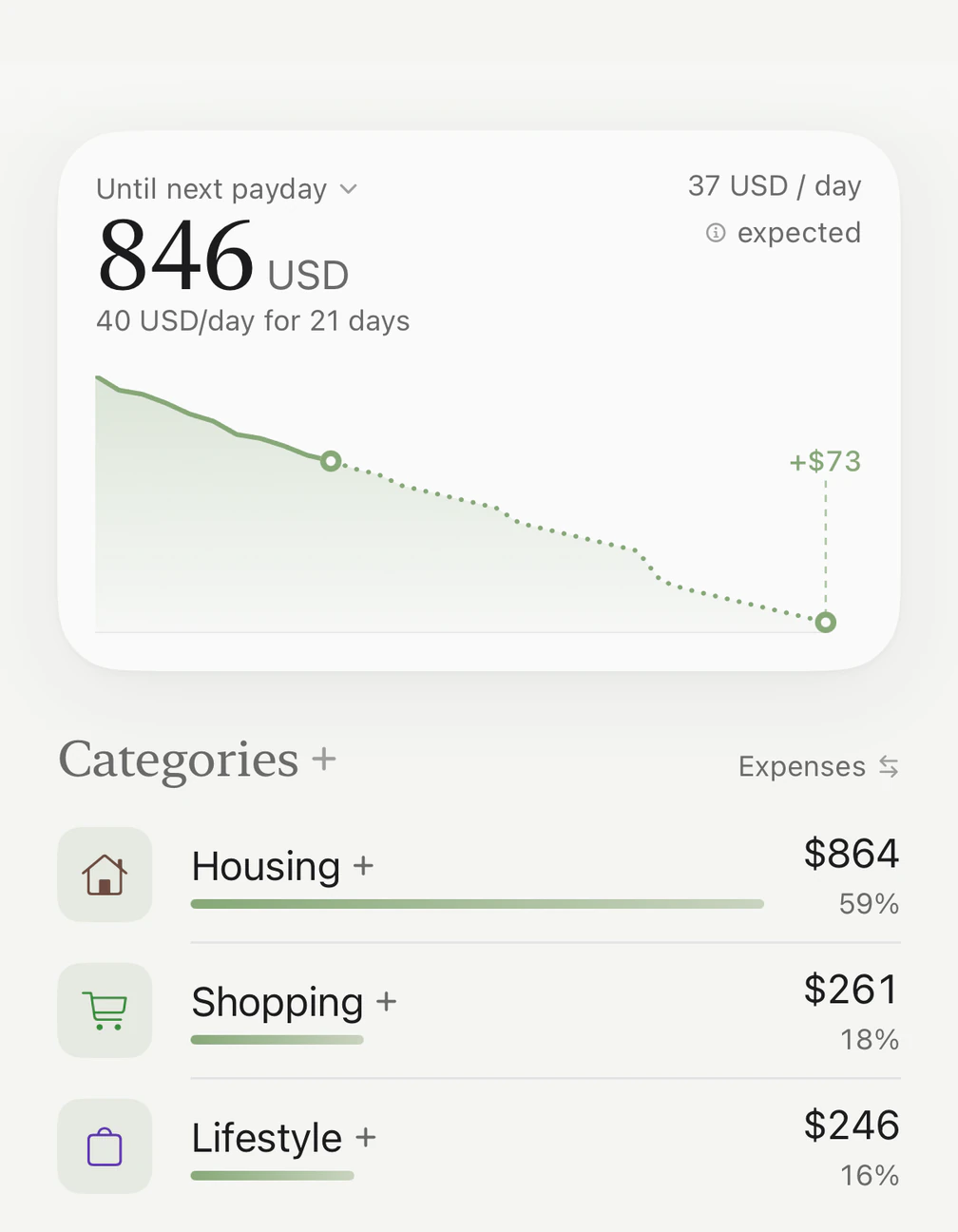
$4.80$48.90$6.20HomeDay by day until your next paycheck
The chart shows your money going down until your next paycheck. Kirum works out what's left for today and already takes off the fixed costs still to come. It's free.
No more surprises
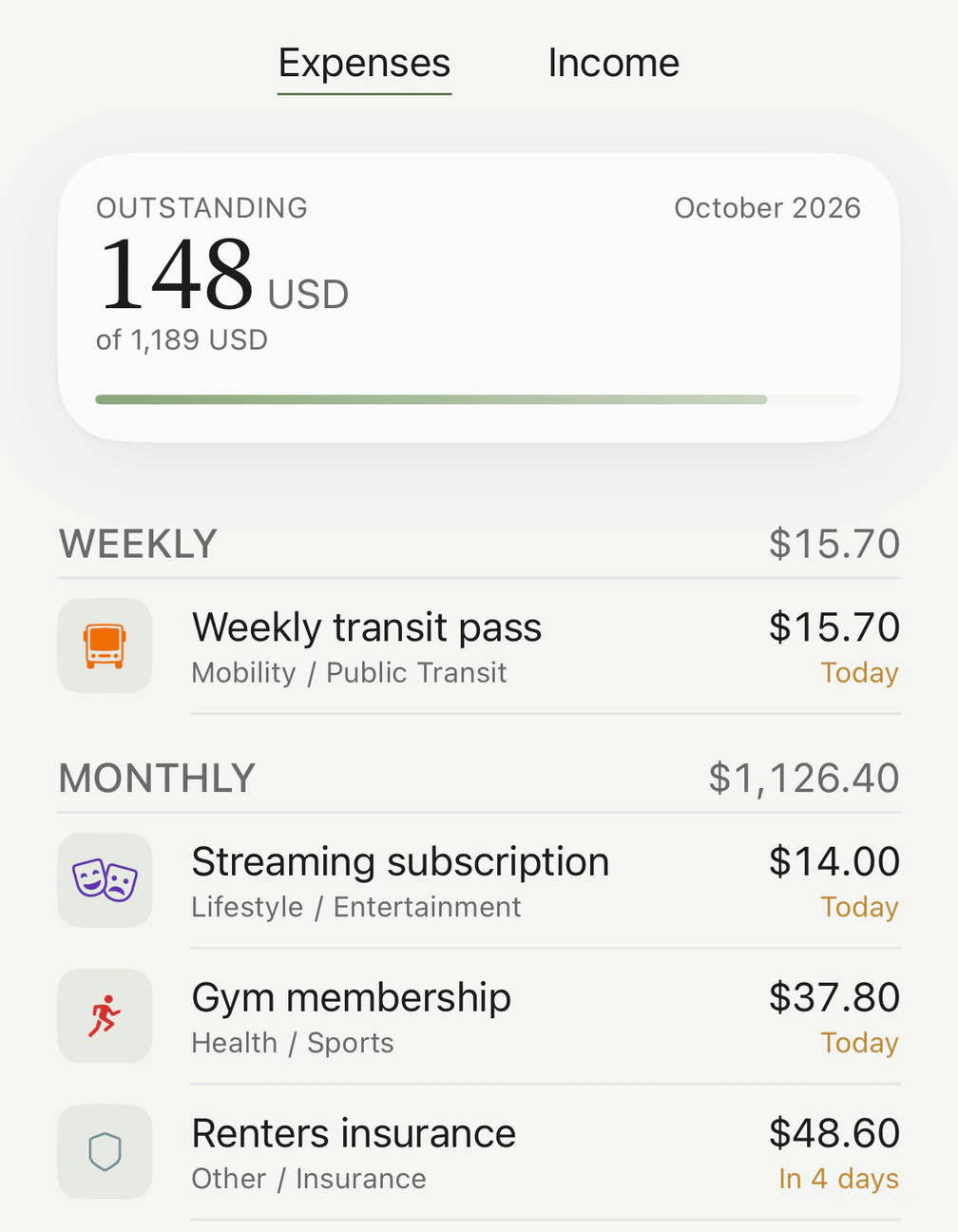
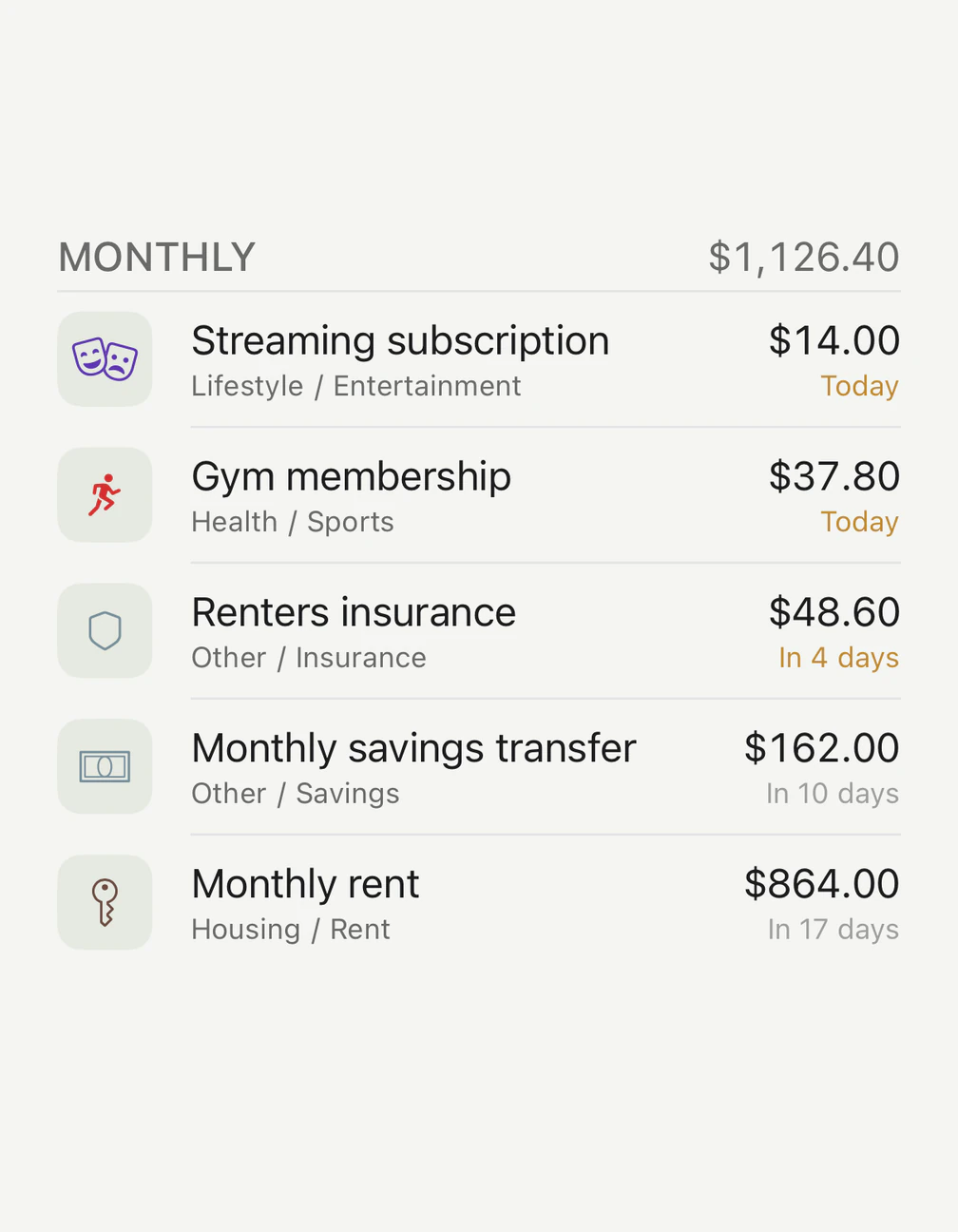
Rent, electricity, subscriptions: enter them once, and Kirum books them every month and reminds you before the next charge.
4.8 stars on the App Store
Average of 37 ratings worldwide, as of November 2026.
A great app!
“Enter all your fixed costs and your salary once, and you always see how much money you still have. What I like most is that you can see how much you can still spend until your next paycheck.”
Danfernau · GermanyTranslated from German · App Store review, 5 stars Thrilled!
“A great, very clear app for tracking my expenses. I was looking for exactly this: a way to keep track of my spending without having to hand over my bank details.”
TS1996C · GermanyTranslated from German · App Store review, 5 stars Best budget book
“Kirum combines […] privacy, a really nice design and a direct connection to Apple Pay. Super happy and can only recommend it.”
Hauptgewyn · GermanyTranslated from German · App Store review, 5 stars
The quotes are picked from the App Store, where only people who downloaded Kirum can leave a review. We don't check them ourselves.
Kirum vs. apps that link your bank
Many finance apps read your transactions straight from your bank account. Kirum takes a different route.
Apps that link your bank
- Access to your accountThe app reads your transactions straight from your bank.
- Sign-up and bank loginYou create an account with the provider and enter your banking credentials.
- Data with the providerYour transactions are stored on the provider’s servers.
- Linked accounts onlyCash and unlinked cards don’t show up on their own.
 Kirum
- No bank accessKirum never connects to your bank.
- No account, no emailDownload, open, start.
- Your data, your iCloudYour financial data lives on your iPhone and in your own iCloud. We never see it.
- Everything in one placeLog cash quickly by hand. Apple Pay payments are logged automatically.
Start free. Go Premium when you want.
Free plan
Free
No sign-up, no payment details
- Unlimited expenses and income
- Custom categories and subcategories
- Log Apple Pay payments via Shortcuts
- See what’s left until your next paycheck
- Up to 3 recurring expenses
- 69 currencies, iCloud sync, app lock
Lifetime or monthly
Pay once
or monthly – your local price is in the App Store
Lifetime means you pay once – no subscription.
Everything in Free, plus:
- Unlimited recurring expenses for fixed costs and subscriptions
- Detailed insights by subcategory and custom date range
- Import from CSV files, for example from other apps
Frequently asked questions
Does Kirum show what's left until my next paycheck?
Yes, Kirum always shows how much you can still spend until your next paycheck – as one number, and as what's left for today. Fixed costs still due before then are already taken off. It's free.
I get paid on the 25th. Does that work?
Yes, Kirum then runs your month from the 25th to the 24th. You add your paycheck once as recurring income. It also works if you're paid every week or every two weeks.
Is Kirum a subscription?
No subscription required: Premium Lifetime is a one-time purchase. If you'd rather pay monthly, you can. Try Premium free for 7 days first – the trial ends on its own, so there's nothing to cancel.
Is Kirum free?
Yes, Kirum is free to use, and the free version already shows what's left until your next paycheck. Unlimited expenses and income, custom categories, Apple Pay logging, 69 currencies and CSV export are free too. Premium – once or monthly – adds more than three recurring expenses, detailed insights and CSV import.
Do I need to connect my bank?
No, Kirum never connects to your bank. You log what you spend, and Apple Pay payments are logged automatically. You don't need an account or an email address either.
How does Apple Pay logging work?
Apple Pay payments in stores are logged in Kirum automatically, with amount and merchant. Kirum uses the Shortcuts app on your iPhone, and a guide shows you step by step how to set it up once. No bank connection involved.
Is my data safe?
Your financial data never leaves your iPhone and your own private iCloud – Kirum never sees a single amount. Kirum never connects to your bank and needs no account. No ads, no ad tracking, no data brokers.
Can I bring my data with me – and take it out again?
Yes, you can export all your entries to one CSV file any time, for free, and open it in Numbers, Excel or Google Sheets. With Premium, you can also import CSV files, for example from other budgeting apps, and map the columns yourself.
Is Kirum just for me, or for the whole household?
Kirum is a money app for one person. Your entries aren't shared with anyone and only sync between your own iPhones. It isn't made for couples or families who want to track their money together.
Does Kirum sync across devices?
Kirum is for iPhone only, and iCloud syncs your data between your iPhones – including when you switch to a new one. Logging and browsing work without internet; only exchange rates and sync wait until you're back online.
What happens when the free trial ends?
After the trial, you keep using Kirum for free, and all your data stays – nothing gets deleted. Recurring expenses beyond the first three pause and pick up again once you have Premium; detailed insights and CSV import are locked until then. The same applies if you pay monthly and cancel.
Calculators and comparisons
Comparisons
Budget apps for iPhone: 11 compared (2026)
11 budget apps for iPhone compared, with US prices and ratings: what's left until your next paycheck, bank sync or by hand, one-time or subscription. Sources for every app.
Calculators
How much can I spend per day until my next paycheck?
See how much you can spend per day and per week until your next paycheck, with the bills still due taken out first. Free, no sign-up, in $ or £.
Comparisons
What's left until your next paycheck? 14 apps compared (2026)
Which apps show how much you can spend until your next paycheck? 14 compared: per-day amount, bank or no bank, biweekly pay, US prices and ratings.